Leticia Sant'Ana
HomeAboutLinkedInSay hi
© 2026 Leticia Sant'Ana · designed and built by meFlorianópolis, Brazil© 2026 Leticia Sant'Ana · Designed and built by me · Floripa 🇧🇷
← Back to home

Product Design · Kenlo real estate CRM

Tasks: what can six monthstell us?

Users were bending a simple task feature into a workflow system, encoding status and ownership in free text. With no room for usability testing, I turned six months of usage data into a redesign that matches how people actually work.
84%of tasks were client follow-ups, nearly half without descriptions
2,595tasks created with past dates
40%+of descriptions referenced task status
TASKS-HERO-IMAGE-INSET.PNG
Tasks: what can six months tell us? hero visual
RoleProduct Designer
CompanyKenlo
Year2024
DomainB2B · Data

The problem

  • Task status, ownership and priority were unclear
  • Users encoded workflow in free-text descriptions
  • No usability testing possible under the deadline

What I did

  • Analyzed six months of task data with data engineering
  • Translated behavioral patterns into product hypotheses
  • Redesigned task creation, details and Kanban for web and mobile

Result

  • Explicit task lifecycle: create, act, complete
  • Participants and notifications replace free-text workarounds
  • Foundation for tracking adoption post-launch

01 · Context

A heavily used feature that had quietly outgrown its model.

I led a data-driven redesign of the Tasks module in a real estate CRM after analyzing six months of real usage data across web and mobile. By identifying behavioral patterns and friction points, without usability testing, we introduced clearer task states, better ownership, and improved prioritization. The result was a more intentional task workflow aligned with how users actually work.

Role
Product Designer, leading data analysis and insight synthesis
Team
Web product designer, data engineering, Product, Customer Success
Method
Behavioral data analysis of six months of tasks
Platforms
Web and mobile
Tasks: what can six months tell us?: A heavily used feature that had quietly outgrown its model.
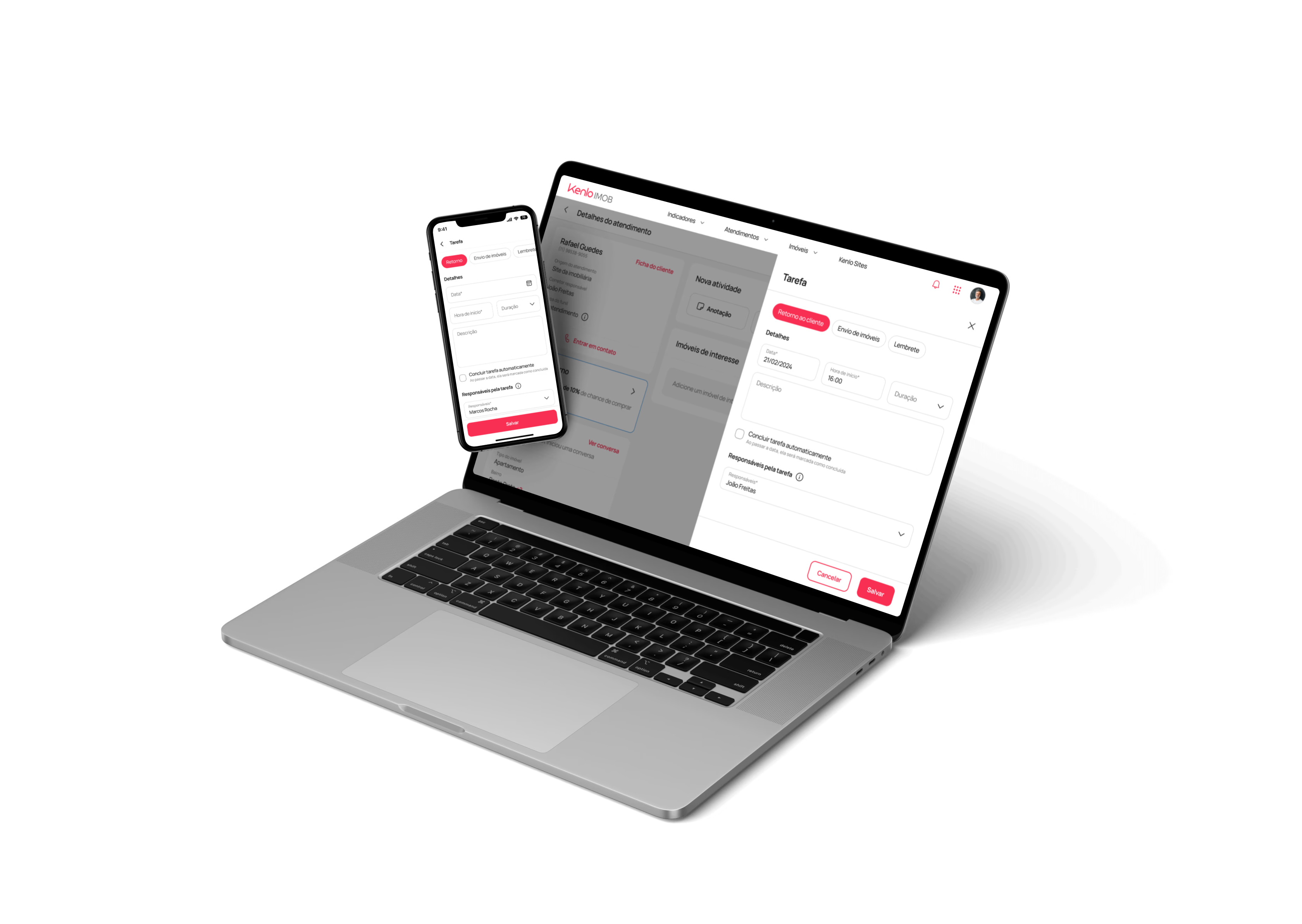
Tasks feature in the real estate CRM (web and mobile versions).

02 · The problem

Users were running a workflow system inside a to-do list.

Tasks were one of the most frequently used features in the CRM, yet users struggled to understand task status, ownership, and priority, especially when managing leads over time. Users relied heavily on task descriptions to compensate for missing structure, often encoding:

  • Interaction stages (“waiting for feedback”)
  • Dependencies on other teammates
  • Actions like “send properties”
“This signaled a mismatch between the product’s task model and real user behavior.”

03 · Opportunity

Strong adoption, limited clarity and scalability.

After nine months in production, the Tasks module had strong adoption, but limited clarity and scalability. Improving task creation and visualization meant:

  • Reducing cognitive load in lead management
  • Increasing consistency across web and mobile
  • Enabling better prioritization in the Kanban view
  • Supporting collaboration across teams without relying on free-text workarounds

04 · Data analysis

When testing isn’t possible, behavior is the research.

Due to a tight deadline and user availability constraints, usability testing was not feasible. Instead, we leaned into behavioral data as our primary signal. I partnered with the web product designer and data engineering to extract and analyze six months of task usage, from the Leads section (creation) and Calendar (visualization).

  • Task type, timing, and duration
  • Presence and content of descriptions
  • Scheduling patterns (past vs future)
  • Recurrence of keywords and mentions
Tasks: what can six months tell us?: When testing isn’t possible, behavior is the research.
Extracting and structuring six months of task data.

05 · Key insights

Six numbers that changed the task model.

84%

Client follow-ups

The vast majority of tasks, nearly half created without a description.

<1%

Meetings

Rarely used, and often logging events that had already happened.

91%

Default duration

Reminders kept the default one-hour duration.

2,595

Past-dated tasks

Tasks created with dates in the past, used as a log rather than a plan.

40%+

Status in text

Descriptions referencing “waiting” or “in progress”.

1000s

Actions and mentions

Tasks referencing “send” or naming other teammates.

“Users were using tasks as a lightweight workflow system, without the product fully supporting that intent.”
Tasks: what can six months tell us?: Six numbers that changed the task model.
Pattern analysis across task types, descriptions and timing.
Tasks: what can six months tell us?: Six numbers that changed the task model.

06 · Solution

Structure without complexity.

We redesigned the Tasks experience to add structure without increasing complexity. All improvements were validated for technical feasibility before handoff.

  • Introduced a dedicated task details screen
  • Enabled manual “mark as completed”, with an optional auto-complete fallback
  • Added task participants, triggering shared visibility and notifications
  • Improved Kanban ordering by pending tasks
  • Introduced a “late tasks” filter for prioritization
  • Clarified behavior when creating tasks in the past
Tasks: what can six months tell us?: Structure without complexity.
Task details, completion and participants across web and mobile.
Tasks: what can six months tell us?: Structure without complexity.
Redesigned task flow walkthrough

07 · Impact

Product behavior aligned with real usage.

While the feature was still entering development at the time of handoff, this work delivered:

  • Clear alignment between product behavior and real usage patterns
  • A more explicit task lifecycle (create, act, complete)
  • Better collaboration signals without relying on free text
  • A foundation for tracking adoption of new task behaviors
Next
Development from mid-March ’24
Measure
Manual completion vs auto-complete adoption
Track
Collaboration and notification effectiveness
Learn
Qualitative feedback via Hotjar and ongoing research

08 · Takeaways

Designing for reality beats designing for intention.

  • Usage data is user research: behavior reveals unmet needs
  • Defaults shape habits: small assumptions create large patterns
  • Structure reduces cognitive load: clarity beats flexibility alone
  • Designing for reality > designing for intention

On this page

01Context02The problem03Opportunity04Data analysis05Key insights06Solution07Impact08Takeaways
Next case · PropTech · 2023Proposals→

Let's talk

Remote-first · Flexible timezone

← Back to homeleticiasantanaux@gmail.com